Why futuristic websites matter now: signal vs. noise
It feels like every day brings a new big idea in the world of websites. New technologies pop up so fast it can be really hard to keep up. In 2026, we see so many cool new web designs and tools that it’s easy to get lost. You might wonder which ones are truly important for your business and which are just passing fads. It’s like trying to find a clear signal in a very noisy room.
Many of these new ideas lead to what we call "futuristic websites." These are sites that use advanced technology and applied innovation to offer new ways for people to interact online. Think about websites with 3D elements, new ways to move around the site, or even parts powered by AI that learn what you like, as many top web design trends for 2026 show us Top Web Design Trends for 2026. Building a truly rich on tech website is not just about looking cool; it’s about being smart and ready for what’s next.
For businesses, especially tech websites USA, understanding these changes is super important. It helps you decide where to put your time and money. Do you jump on every new trend, or do you pick the ones that will truly help you grow? It’s all about separating the hype from the helpful.
This article will give you a simple guide. We will help you look at new website ideas and figure out which ones are worth your attention. You will learn how to spot real trends and use them to make your website better in a smart way. If you find yourself swimming in too much tech news and struggling to find what truly matters, learning to separate the important from the less important is key.

You can find more help on how to turn information overload into strategic business insight.
As we dive into the world of advanced technology in web design, staying informed about the broader tech landscape, especially AI, is crucial.
Get clear daily AI updates from The AI Newsletter Worth Reading.
Trend overview: What ‘futuristic websites’ means in 2026
When we talk about futuristic websites in 2026, we are really looking at websites that use advanced technology to offer exciting new experiences. These sites go beyond just looking good; they feel different to use and often have smart brains working behind them. Think of them as a rich on tech website that truly stands out. Let’s break down what makes a website "futuristic" right now.
Elements of a futuristic website
Futuristic websites have three main parts: how they look, how you interact with them, and the smart technology that powers them.
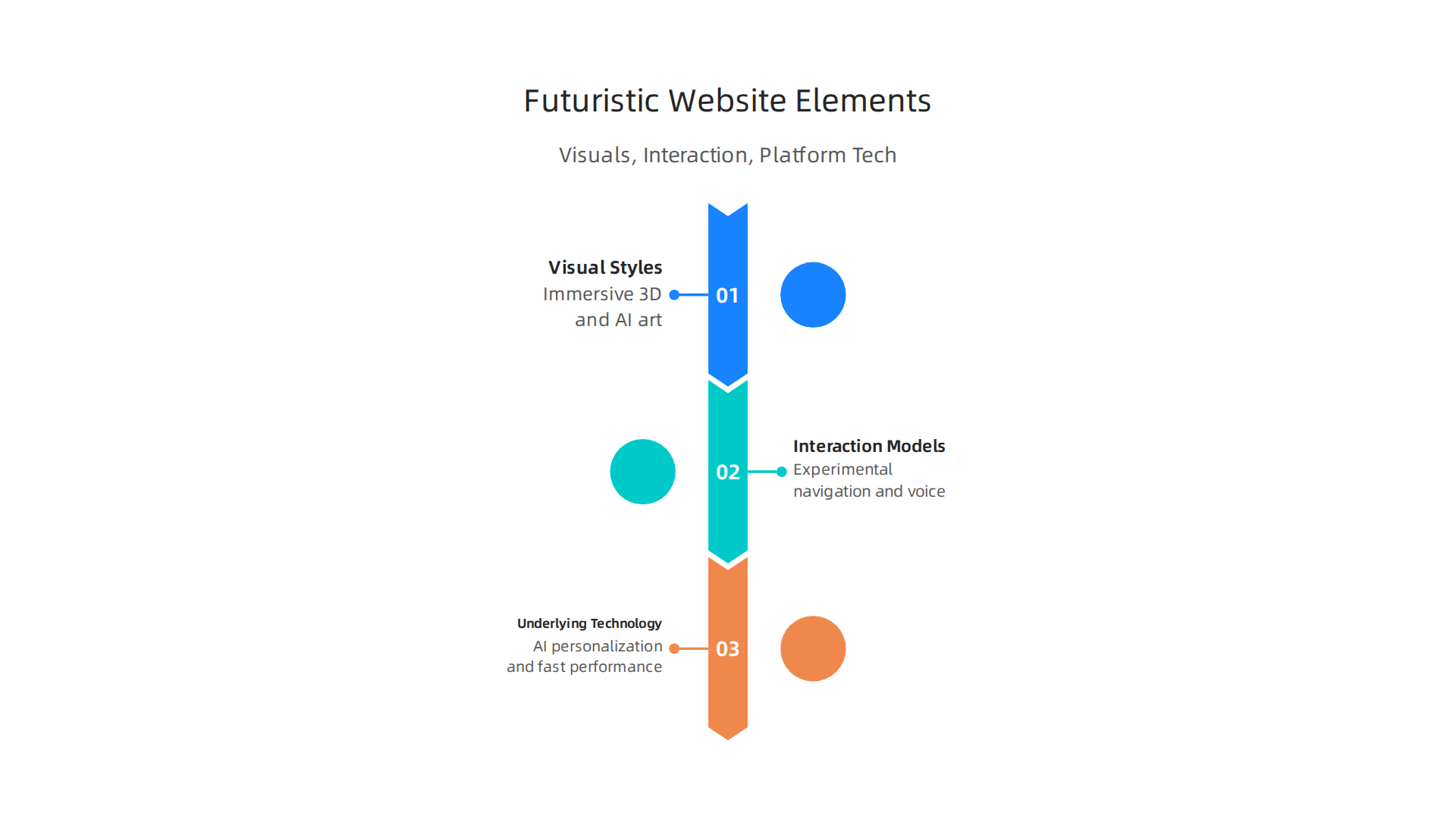
Visual Styles
- Immersive 3D: Many sites now use 3D graphics that make you feel like you’re stepping into a different world. This often involves tools like WebGL to create deep, engaging visuals.
- AI-Generated Art: Websites use AI to create unique images and layouts on the spot. This allows for very personalized and fresh looks every time you visit, a key
applied innovationfor designers AI-Generated Visuals in Web Design. - Dynamic Typography: Text isn’t just static anymore. It moves, changes, and responds to what you do, adding a lively feel to the page. This is called kinetic typography Web Design Trends 2026: 12 Developments + Code Examples.
- Bold and Raw Looks: Sometimes, futuristic means going back to basics with "brutalist" designs. These use strong shapes, clear colors, and rough textures to make a strong point Web Design Trends 2026: Brutalist UX & Invisible Logic.
Interaction Models
- Experimental Navigation: Forget simple menus. Futuristic sites might have new ways to move around, like dragging things or using your voice to find information WCAG 2.2: New Guidelines – Penn State | Accessibility.
- Micro-interactions: These are small, delightful animations that happen when you click a button or hover over an item. They make the site feel alive and responsive.
- Voice Commands: Some websites let you talk to them, using your voice to navigate or ask questions, making them easier to use for everyone.
Underlying Platform Technology
- AI-Driven Personalization: This is huge. AI learns what you like and shows you content tailored just for you. This means a different experience for every user, thanks to
advanced technologylike AI Trends in Web Design 2026 | Latest UI & UX Trends – Direct Graphix. If you’re curious about how AI works, you can explore our Artificial Intelligence Explained: A Clear Guide for Thinking Humans. - Speed First: No one likes a slow website. Futuristic sites are built to load super fast, especially on phones. This is important for keeping people engaged.
- Accessible Design: Advanced websites are also built so everyone can use them, including people with disabilities. This means features like easy keyboard navigation and ways to pause moving content Guide to Accessible Web Design & Development.
Who is adopting these trends?
The way businesses use futuristic websites depends a lot on their size and what industry they are in.
- Small Businesses and Startups: Many new
tech websites USAbased startups jump on these trends quickly. They use flashy visuals and AI to grab attention and show they are innovative. This can be aquick winfor them to stand out in a crowded market. - Large Companies: Bigger businesses often move slower. They might try out new things, but they usually focus on what works well and is very reliable. For them, a
long betmight be investing heavily in complex AI systems that learn over time. They prioritize accessibility and strong performance, building on what we know about Unlocking Tech-Driven Business Potential in 2026. - Different Industries:
- Creative Agencies and Gaming: These industries are often the first to use immersive 3D and dynamic visuals because their customers expect exciting experiences.
- E-commerce: Online stores use AI for personalized shopping experiences and fast loading times to help people buy things easily.
- Information and News Sites: These might use AI to suggest articles you’d like or make their sites very fast to read.
No matter the size or industry, the goal is always to make the website better for the people using it. Finding the right mix of applied innovation and practical use is what makes a truly successful futuristic website.

The most eye-catching part of futuristic websites in 2026 is often how they look. Building on the idea of immersive visuals, these sites go beyond flat pictures to pull you into the experience. This focus on looks, or "visual aesthetics," uses clever ways to make you feel more connected to the website.
High-Impact Visuals for Modern Websites
Many rich on tech website designs now use several key visual tricks to stand out:
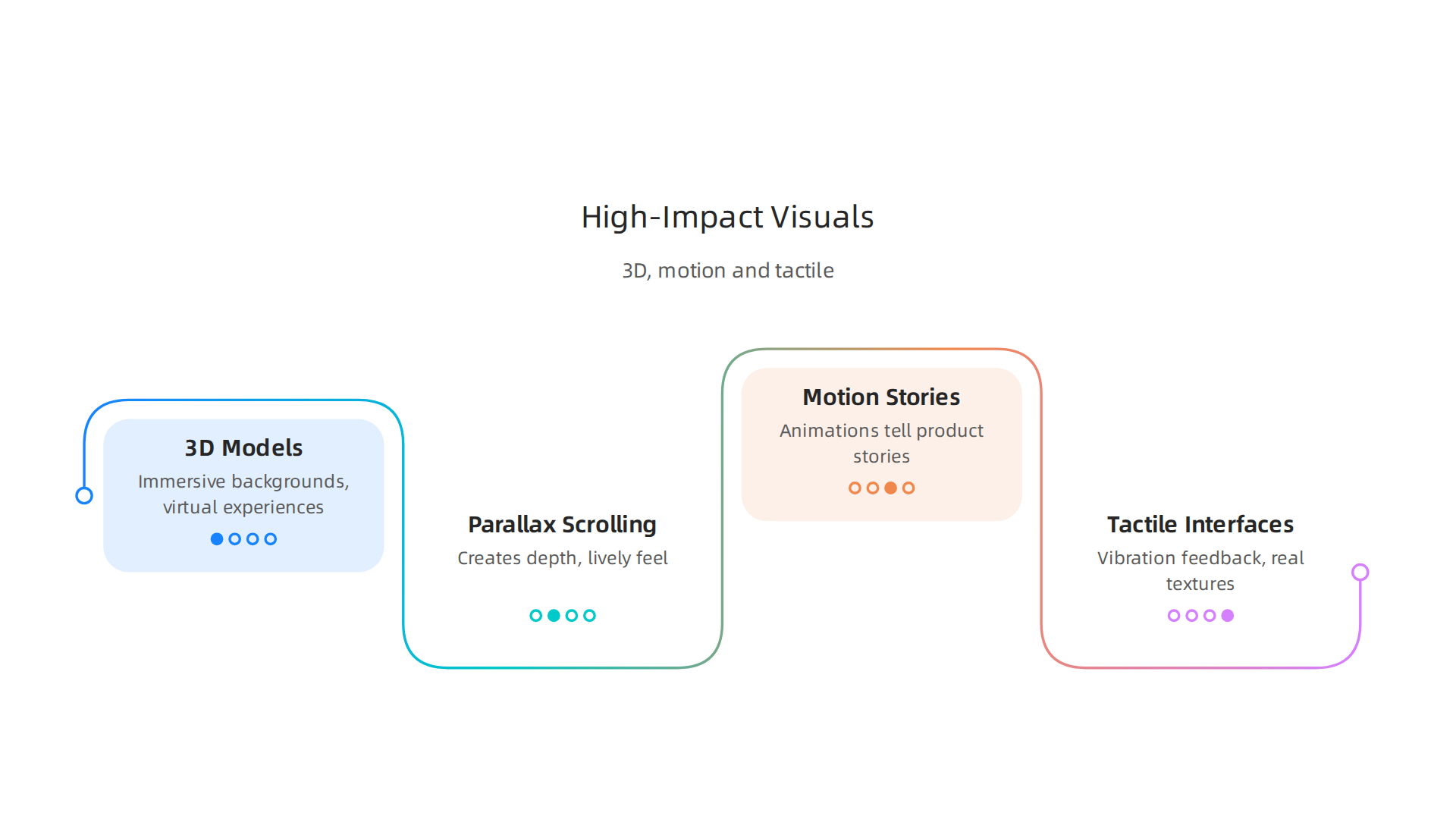
- 3D Models and Immersive Backgrounds: Websites today can feel like a game. They use 3D models you can spin around or backgrounds that make you feel like you’re moving through a different space. This is made possible by
advanced technologylike WebGL and WebGPU. Some even use WebXR to bring augmented reality (AR) and virtual reality (VR) experiences right into your web browser, showing how AR and 3D are shaping the future of websites. Imagine trying on clothes virtually or walking through a digital showroom. - Parallax Scrolling: This is a cool effect where the background image moves slower than the items in front of it as you scroll. It creates a feeling of depth and makes the page feel more alive.
- Motion-Led Stories: Instead of just reading text, modern websites use moving pictures and animations to tell a story. Think of a product page where the item slowly turns, or a service explanation that unfolds with gentle movements. Motion design can actually make waiting times feel shorter, improving how fast a site seems to load Measuring the Value of Motion.
- Tactile Interfaces: While not purely visual, some designs are trying to bring back a "touch and feel" to the digital world. This could mean buttons that react with a tiny vibration or textures that make digital elements feel more real.
Balancing Wow with Performance and Accessibility
These amazing visuals create a real "wow" factor, but they also come with challenges. For futuristic websites to be truly great, designers must find a good balance between stunning looks and practical use. This is where applied innovation really matters.
- Performance: All those fancy 3D models and animations can make a website slow. A slow site can make people leave before they even see the cool stuff. So, web developers in
tech websites usaand elsewhere work hard to make these sites load fast. This means using smart tricks to reduce the size of 3D models, keeping images small, and writing efficient code. For example, developers should focus on keeping calls to the graphics card to a minimum and reuse parts of the design to speed things up, as highlighted in WebGL best practices – Web APIs | MDN and by optimizing how 3D elements are rendered Optimizing 3D Web Performance with Threejs and WebGL. - Accessibility: A beautiful website isn’t useful if some people can’t use it. Websites with lots of movement or complex layouts can be hard for people with vision problems or those who get dizzy from motion. Good
advanced technologydesign always thinks about everyone. This means giving options to turn off animations, making sure text is easy to read against a moving background, and providing clear ways to navigate without relying only on visuals.
Finding this sweet spot means using new visual tricks in a way that truly helps the user, rather than just looking good. It’s about making the website engaging and easy for everyone to use. Staying on top of what’s coming next in the world of technology, like these visual trends, is important for many businesses. You can learn more about how different areas of tech are developing in our article on R&D Technology Trends 2026.
The previous section talked about making websites look great and work fast for everyone. Now, let’s look at how another powerful tool, Artificial Intelligence (AI), is changing how we build futuristic websites in 2026. AI is not just a fancy idea; it’s a real game-changer for design and how users experience a website. It helps make things faster and more personal.
How AI Changes Design and Website Building
AI is now a key part of how designers and developers work. It helps in many ways, from creating new looks to making sure the website speaks directly to each visitor.
- Faster Design Ideas: Imagine needing many different ways a webpage could look. Instead of a designer drawing each one, AI can quickly suggest many ideas. This speeds up how designers try out new things, leading to better results faster. In fact, many designers save a lot of time each week by using AI tools, with some reports saying 68% save 10+ hours weekly in 2026 using AI tools AI In The Design Industry Statistics | 2026 Sourced Report. This means more time for the truly creative parts of the job.
- Smart Content Creation: AI can also help create the words and pictures on a website. It can write different headlines or descriptions, or even generate images that fit the site’s style. This helps keep
rich on tech websitecontent fresh and interesting. - Making Websites Personal: One of the coolest things AI does is make websites feel like they were made just for you. It can change what you see based on what you like or what you’ve looked at before. This "personalization" means a better experience for everyone. This kind of AI-driven approach can significantly boost how many visitors turn into customers, increasing website conversion rates by 25% on average Ai In The Design Industry: 2026 Research Stats – ZipDo.
Where AI Shines and Humans Are Still Needed
AI brings a lot of value, especially in making workflows more efficient. To truly master your workflow with AI powered productivity tools, surveys in 2026 show that 60% of designers say AI helps reduce time spent on common tasks, allowing them to ship designs faster 2026 Survey Report. Teams using AI-powered tools can even speed up prototyping by up to 50% The future of design systems with AI – HCLTech. These are clear examples of applied innovation in action, making work better for tech websites usa and global teams.
However, even with such advanced technology, humans are still very much in charge. AI is best at doing tasks that repeat or at giving many options. But it’s people who decide which ideas are best, how to make them truly unique, and how to connect with other people on a deeper level. For example, AI is great for brainstorming, but human judgment is crucial for refining those ideas From Ideation to Refinement: Understanding the Human-AI Co …. It’s the human touch that makes a website truly special and ensures it meets all ethical and accessibility needs. Learning to blend these strengths is key for mastering AI and human capabilities for 2026 business advantage.
So, while AI helps make things faster and more personal, it’s the smart combination of AI tools and human creativity that creates the best futuristic websites.

It means designers can focus on bigger ideas while AI handles the smaller, repetitive jobs.
For professionals looking to stay updated on the latest in AI and how it’s shaping technology, getting daily insights is key. The AI Newsletter Worth Reading can help you get clear daily AI updates from The Deep View Newsletter.
While AI and human creativity work together to build amazing futuristic websites, there’s another very important part of good design: making sure everyone can use these websites easily. This is called accessibility. Even with advanced technology like Augmented Reality (AR) or cool moving pictures on a screen, we must remember to include all people. This means thinking about people with different abilities right from the start.
Inclusive & Accessible Futuristic Design: Compliance and Best Practices
When we talk about futuristic websites, we might think of dazzling new features like AR overlays that place digital things into the real world, or user interfaces (UIs) that move and react to our gestures. These features are exciting, but they must be built so that everyone can enjoy them. For example, if a website relies on sounds, it also needs text for people who cannot hear. If it uses touch or movement, it needs options for people who cannot use a mouse or have trouble with complex movements. Making websites accessible is not just a kind thing to do; it is often a legal requirement. Laws and guidelines, like the Web Content Accessibility Guidelines (WCAG), help make sure websites are fair for everyone, including those in tech websites usa and around the world. These guidelines give clear rules for web design and development. For instance, the US government offers a Guide to Accessible Web Design & Development to help developers.
Here is a simple checklist for rich on tech website designs to make sure they are inclusive and follow best practices:
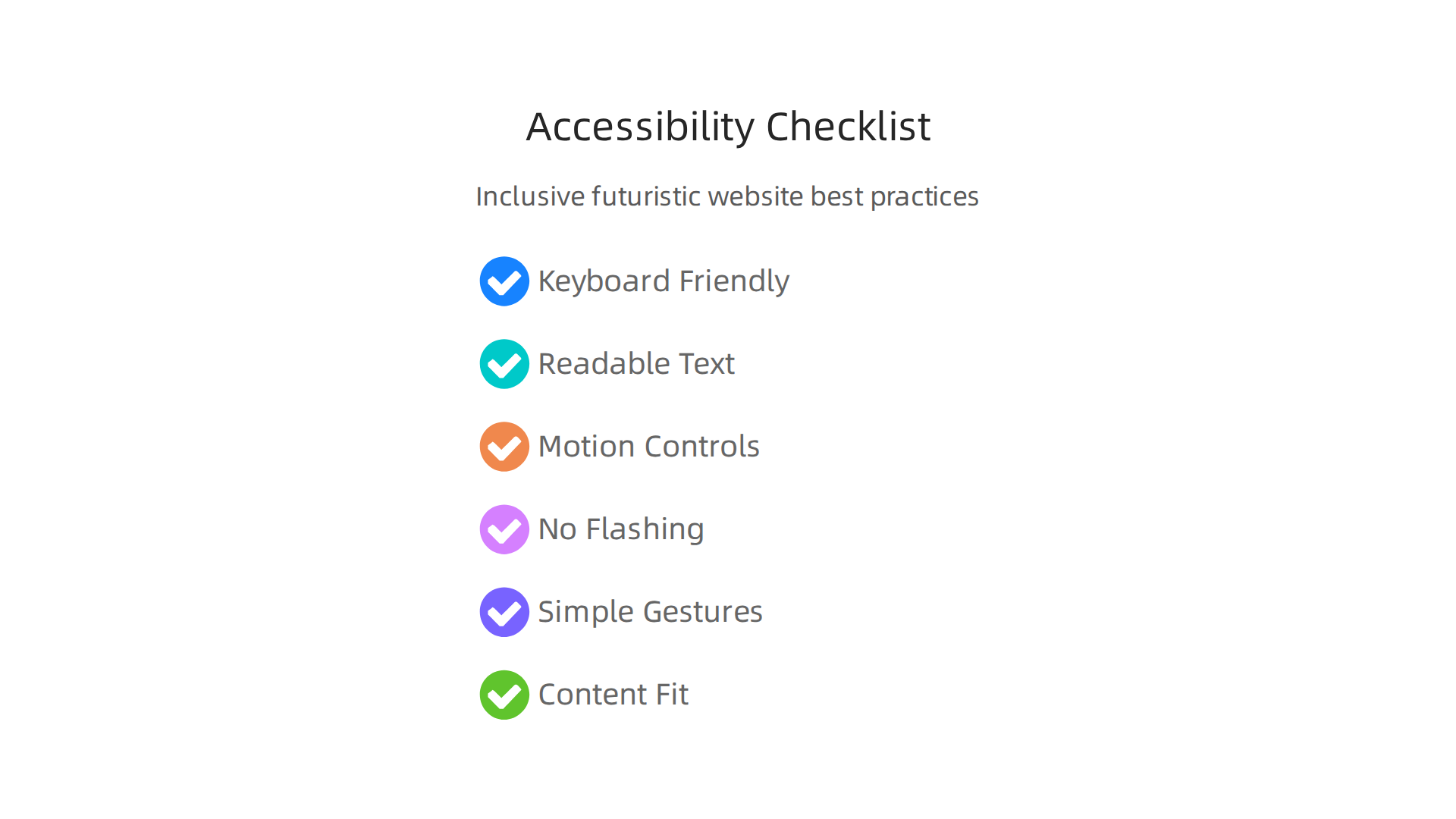
- Keyboard Friendly: Can you use the whole website with just a keyboard? Not everyone can use a mouse. Every button and link should work with keyboard keys.
- Clear and Easy Text: Use clear words and good contrast between text and background colors. This helps people with poor eyesight or color blindness. Avoid relying only on color to give important information, as explained in the Accessibility Evaluation Report.
- Control Over Motion: If parts of your
futuristic websitesmove, blink, or scroll on their own (like a news ticker or a fancy image carousel), users must be able to stop, pause, or hide them. Moving content can be distracting or even cause problems for some people. A good tip from Auto-updating content – Accessible Technology is to include a clear pause button. - No Flashing Lights: Content that flashes too quickly can be harmful. Websites should not have anything that flashes more than three times in a second. This is an important point also found in accessibility checklists like the WCAG Checklist – Usability & Digital Accessibility – Yale University.
- Simple Gestures: If your website uses special gestures, like swiping or pinching, make sure there’s also a simpler way to do the same thing with just one click or tap. WCAG 2.1: New Guidelines has more details on this.
- Content That Fits: Make sure the website content can be shown without needing to scroll left and right too much, especially on smaller screens. This ensures information is easy to read.
By building accessibility into applied innovation from the start, we make sure that futuristic websites are truly for everyone.

Thinking about these best practices from the very beginning helps create a better, more welcoming online world. Staying updated on the rules and best ways to design is key for any company, especially when considering AI Policy: The 2026 Roadmap for Business Compliance and Trust.
Engineering and Performance: Making Futuristic Features Production-Ready
After making sure websites are fair for everyone to use, the next big challenge for futuristic websites is to make them super fast and smooth. Imagine an amazing new car; it needs to be safe for all drivers, but it also needs to run well. The same goes for websites. These days, a rich on tech website might have lots of moving parts, videos, or even 3D elements. All these cool features can slow things down if not built correctly. Making them work well on different internet speeds and devices is a big job for engineers.
To keep these advanced sites zippy, developers use smart ways to build and deliver them. Here are some key technical ideas that help:
- Progressive Enhancement: This means building the website in layers. First, make sure the basic information shows up for everyone, even on slow connections or older devices. Then, add the fancy
advanced technologyfeatures like cool animations or interactive tools. This way, no one is left out, and those with better internet get the full experience. It is like baking a cake; first, you make the basic cake, and then you add frosting and sprinkles for those who want them. - Edge Compute: Think of a website like a store. Instead of having just one big store far away, edge computing puts smaller mini-stores closer to where customers live. This means the website’s heavy lifting (like processing complex requests) happens nearer to you. This makes everything load much faster, especially for
tech websites usaand around the globe where users are spread out. - Conditional Loading: This smart trick means a website only loads what you need, right when you need it. If a certain part of the page isn’t visible yet, the website waits to load it. For example, if you scroll down a long page, new pictures and videos only load as you reach them. This saves internet data and makes the page feel faster.
Using these methods helps make applied innovation in web design truly work. It means users can enjoy all the new, exciting features without long waits or hiccups. Many businesses are finding that using AI tools can actually help speed up the creation of these complex, performant websites. For instance, reports show that using AI-powered layout tools can make prototyping up to 50% faster, making it easier to bring these visions to life quickly. In 2026, designers across the board are seeing productivity improvements thanks to AI, with many saving hours each week by using these tools to handle routine tasks and ship designs faster.
To keep up with all the exciting changes in how futuristic websites are built and perform, it is helpful to stay informed about new tools and techniques. If you want to dive deeper into the world of smart computing and keep your business ahead, you might find our article on Mastering computing innovation for business success in 2026 useful.
Understanding these engineering practices is just as important as good design. They make sure that the web’s future is not just beautiful and accessible, but also blazing fast and reliable for everyone.
Want to understand how AI is changing everything, including web design and performance? Get clear daily AI updates from The AI Newsletter Worth Reading.
Strategy: When to Experiment vs. When to Standardize
Making websites fast and reliable is very important, as we just discussed. But there’s another big question for businesses: how do you decide which new, exciting features to actually use? It’s like having many new tools; you can’t just pick them all. You need a smart plan for when to try out new things and when to stick to what already works well. This is especially true in 2026, as so many futuristic websites are showing off amazing advanced technology.
To decide wisely, companies often use a special plan for how they invest in new web ideas:
1. Pilot Proofs: Trying Things Out Small
Before going all-in on a new feature, smart businesses start with small tests. These are called "pilot proofs." It means they try out a new idea, like an immersive 3D experience or an AI chatbot, on a small part of their rich on tech website or with a small group of users. This helps them see how the new feature works in real life without spending too much money or time. For example, some of the top web design trends in 2026 include immersive 3D and AI-driven experiences, which are perfect for pilot tests before wider use Top Web Design Trends for 2026 – Figma.
2. Measurable KPIs: Knowing What to Look For
When you run a pilot test, you need to know if it’s actually working. This is where "measurable KPIs" come in. KPIs stand for Key Performance Indicators. They are clear ways to measure success. For a futuristic website feature, a KPI might be:
- Did more people stay on the page longer?
- Did more customers buy something?
- Was it easier for users to find information?
By looking at these numbers, companies can see if the newapplied innovationtruly helps their users and their business goals. If the numbers look good, the feature might be worth using more widely.
3. Cross-Functional Governance: Everyone Working Together
Once a pilot shows good results, the next step is to make it a standard part of the website. This needs "cross-functional governance." It means different teams in the company, like the design team, the engineering team, and even the marketing team, need to work together. They make sure the new feature fits smoothly into the whole website and works for everyone. This way, the advanced technology can become a reliable part of how the company serves its customers, whether they’re in the tech websites usa market or elsewhere.
Roadmap Guidance for Product Leaders
For product leaders, putting these futuristic websites ideas into action needs careful planning. It’s like creating a map for how the website will grow. This "roadmap guidance" helps them add exciting new designs and features without breaking the parts of the website that already work. They decide which successful pilot projects to roll out next, making sure each step improves the user experience while keeping operations smooth. This ensures that new features are added in a smart, planned way, rather than causing problems.
To truly understand how new tech ideas become a part of business strategy, you might want to learn more about how companies manage innovation. Discover more about how a technology strategy board drives deep tech innovation.
Balancing new experiments with established practices is how businesses can build a truly rich on tech website that stays ahead in 2026, offering both innovation and reliability to its users.
Summary
This article explains what ‘futuristic websites’ mean in 2026 and how businesses can separate the useful innovations from passing hype. It defines the three core pillars—visual style, interaction models, and platform technology—and shows how 3D, motion, AR, and AI are changing user experiences. The piece stresses practical trade-offs: stunning visuals must be balanced with performance and accessibility, using techniques like progressive enhancement, edge compute, and conditional loading. It covers how AI speeds design and personalization while highlighting the continued need for human judgment and inclusive design. Finally, it outlines a pragmatic strategy for product teams—pilot, measure with KPIs, then scale with cross-functional governance—so you can adopt new features confidently and avoid wasted investment.