
In today’s fast-moving world of technology, it can feel like a new word or idea pops up every day. From AI to cloud services, and from data analytics to cybersecurity, the sheer number of terms and systems can be confusing for anyone, whether you work in tech or not. This is why truly understanding how all these parts fit together, like pieces of a puzzle, is more important than ever.
One big reason to get clear on your tech talk is to make sure everyone is on the same page. When technical and non-technical teams use different words for the same thing, it can cause big problems.

It’s like trying to build something when half the team thinks "hammer" means a "screwdriver." Using consistent words for different parts of your tech systems helps everyone understand each other better, which makes work smoother and prevents expensive mistakes. Think of it like a taxonomy a clear way to organize and name things so there’s no confusion. This helps cut down on misunderstandings that can slow down projects.
Beyond just talking clearly, seeing all your tech as a connected system helps you make smart choices. Instead of looking at each new piece of technology like a separate island, you can see how it fits into the whole picture. This system-based view helps leaders decide where to spend money wisely, whether it’s on new AI tools, better cloud storage, stronger security, or smarter ways to handle data. When you know how these tech domain areas connect, you can make sure your investments work together to help your business grow. For example, if you improve your data systems, it might also make your AI tools work better.
In this article, we’ll give you clear ways to understand complex tech terms. We’ll offer simple rules for making decisions and show you practical signs you can use to act this quarter. This will help you navigate the world of modern technology with greater confidence.
Are you looking for even more daily insights into the latest AI trends and broader technology developments?
Get clear daily AI updates from The AI Newsletter Worth Reading.
Defining ‘Tech Systems’: A practical taxonomy
To navigate the world of modern technology with confidence, we first need a clear way to talk about what "tech systems" really are.

Think of a taxonomy as a special way to sort and name things so everyone understands them the same way. It’s like having a map for all your technology parts and how they work together What Is Taxonomy?. In 2026, technology is always changing, so having this clear map is super important.
We can look at tech systems in three main layers to make things simple:
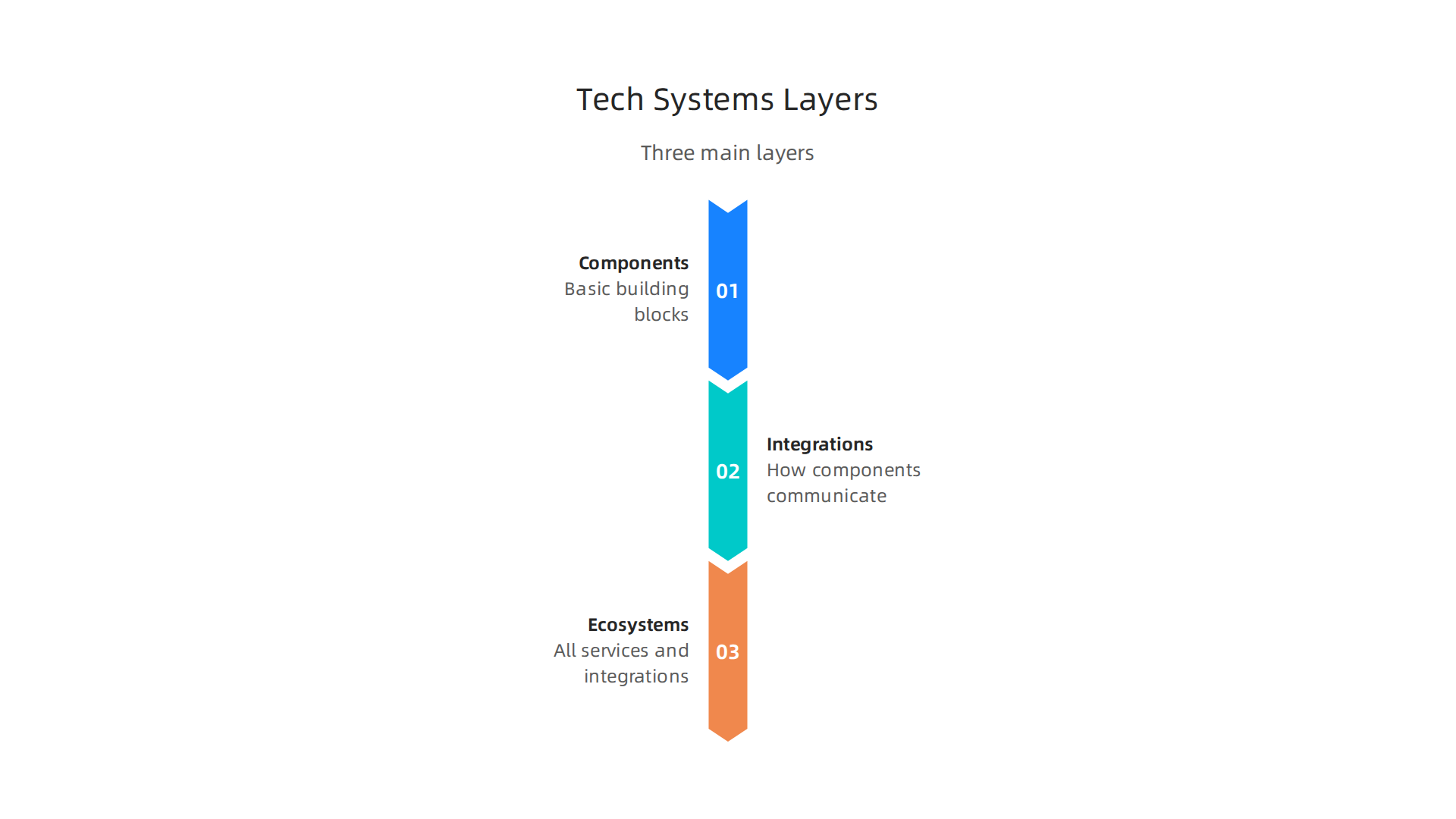
- Components: These are the basic building blocks. Imagine them as single parts of a toy set. This could be a specific software program, a database, a piece of hardware, or even a tiny sensor. Each component has its own job. For example, an AI tool used for writing might be one component, while the computer it runs on is another.
- Integrations: This layer is about how the different components talk to each other. Like how different pieces of a puzzle connect to form a picture. If your AI writing tool needs to get information from your company’s sales data, that connection is an integration. These links help different parts of your tech systems work smoothly together, making the overall system stronger.
- Ecosystems: This is the big picture. It includes all your components and their integrations, plus how they work with outside services and other company systems. It’s like the whole playground where many different toy sets are being used together. For example, your internal customer service software, your website, and an external cloud service all form part of your business’s tech ecosystem. Understanding these broad tech domain areas helps you see how everything fits.
Choosing a good taxonomy for your tech systems matters a lot for your business. When you have a clear way to name and sort every technology, it helps with a few key things:
- Procurement: When you want to buy new technology, a clear taxonomy helps you know exactly what you need and how it will connect to what you already have. This stops you from buying things that don’t fit or are redundant.
- Risk Evaluation: By seeing all your tech systems clearly laid out, you can spot potential weak spots or security risks more easily. If one component fails, you can quickly understand what other parts of the system it might affect.
- Vendor Evaluation: When picking a new tech partner or vendor, understanding their products within your taxonomy helps you see how well they match your needs. This makes sure you choose partners who truly make your ecosystem better.
Using consistent language, especially for common technologies synonym terms, ensures that everyone from the tech team to the sales team speaks the same language about your tools. This way, your business can make smart choices about technology, from small parts to the entire interconnected web.
When we talk about the basic building blocks of technology, called "components," it’s helpful to break them down even further. Think of your business’s entire setup as a big machine. This machine isn’t just one thing; it’s made of many different parts working together. To truly understand your tech systems in 2026, we look at four main kinds of core components: hardware, software, data, and human systems.
Hardware
Hardware is all the physical stuff you can touch. This includes things like computers, servers, phones, network cables, and even the tiny sensors in smart devices. It’s the engine of your tech systems. Without working hardware, nothing else can run. If a server breaks down, it can stop an important website or a whole part of your business from working.
Software
Software is the set of instructions that tells the hardware what to do. It’s like the brain of your tech systems. This includes operating systems (like Windows or macOS), applications (like a word processor or your company’s sales app), and even the hidden code that makes websites work. Good software makes hardware useful, letting you do tasks, manage information, and connect with others. Problems with software, like bugs or outdated versions, can slow things down or cause errors.
Data
Data is the information that all your hardware and software handle. It’s the fuel for your tech systems. This could be customer names, sales figures, emails, pictures, or anything else your business creates, collects, or uses. Protecting your data is a big deal because it often holds important secrets and facts about your business. If data is lost or stolen, it can cause big problems. Experts even suggest using an information security governance checklist (updated 2026) to keep data safe.
Human Systems
This is a component people often forget, but it’s super important. Human systems are the people who use, manage, and build the technology, along with the rules and ways they work. This includes your employees, the processes they follow, and the policies that guide how technology is used. For example, how your team stores files or how they respond to a tech problem are all part of your human system. Even the best hardware and software can fail if the people using them aren’t trained well or don’t follow good practices.
How They Interact and Where Things Can Go Wrong
These four core components don’t work alone. They are always interacting. Software runs on hardware, processing data, and people manage all of it. When one part has a problem, it can affect everything else. For example:
- Hardware failure: A broken server means the software running on it stops, and you can’t access your data.
- Software bug: A glitch in an application might corrupt data or make it impossible for users to do their jobs.
- Data breach: If security on your data isn’t strong, bad actors can get in, which might happen because of a weak point in the software or a mistake by a person. Keeping these tech systems safe is super important, which is why many businesses follow rules like those found in a NIST Compliance Checklist 2026: Complete Implementation.
- Human error: Someone accidentally deletes important files, or doesn’t follow a security rule, which can expose the whole system to risk.
Understanding these different parts helps you see the bigger picture of how all your information systems vs information technology work together. By looking at each component carefully, businesses can build stronger, safer, and more useful tech systems.
Want to stay informed about the latest tech insights and how these components are evolving?
The AI Newsletter Worth Reading
After understanding the core parts of your technology setup, the next step is to see how these parts are put together. Not all tech systems are built the same way. In 2026, businesses often classify their tech systems into three main types: centralized, distributed, and hybrid.
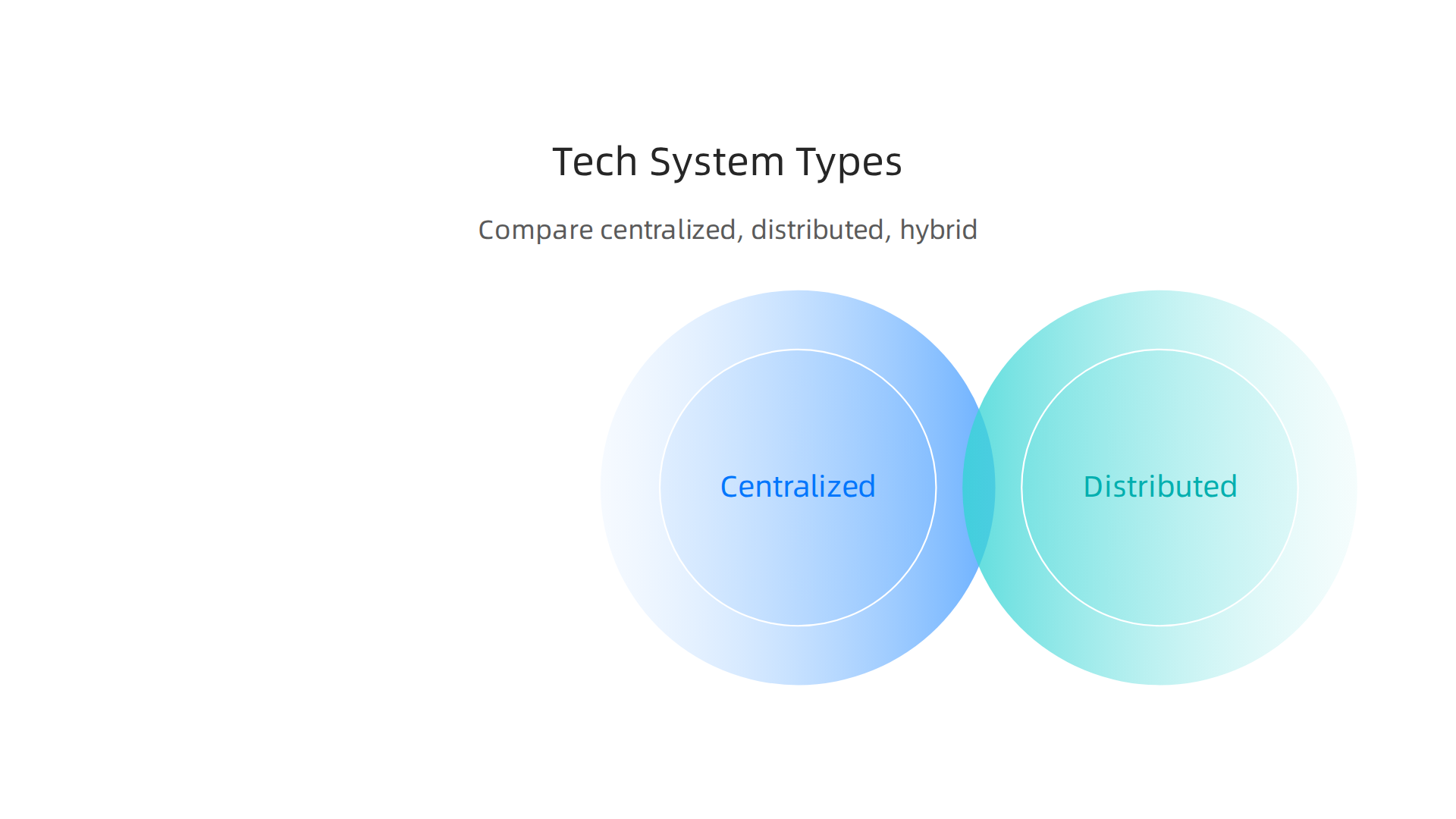
Each type has its own way of working, and understanding them helps you choose the best setup for your business needs.
How to classify tech systems: centralized, distributed, and hybrid
These classifications help businesses decide how to build and manage their digital tools and processes. Let’s break down each one.
Centralized Tech Systems
Think of a centralized tech system like a single brain controlling a whole body. All the main work, data storage, and decisions happen in one main location or on one main computer. For example, a small business might have one server in its office that handles all its files, emails, and applications.
What’s good about it? It’s often simpler to set up and manage because everything is in one place. It also makes it easier to keep strong control over your data and how things run.
What’s not so good? If that one main location or server breaks down, everything stops working. Also, if many people try to use it at once, things can get slow. This can lead to higher "latency," which means it takes longer for information to travel.
Distributed Tech Systems
Now, imagine that body has many brains, each handling a different part of the work. A distributed tech system spreads its work, data, and control across many different computers or locations. Each part works on its own task but is still connected to the others. Cloud computing, where your apps and data live on many servers in different places, is a great example of this.
What’s good about it? If one part fails, the others can often keep going, making the system more reliable. It can also handle a lot more users and data because the work is spread out. This can reduce latency, especially for users far away from a central hub. In fact, many experts see distributed hybrid infrastructure as the backbone of modern enterprise IT in 2026.
What’s not so good? These systems are much more complex to design, build, and manage. Making sure all the different parts work well together and stay secure can be a big challenge.
Hybrid Tech Systems
A hybrid tech system tries to get the best of both worlds. It combines parts of centralized and distributed approaches. For instance, a company might keep some very important data or applications on its own servers (centralized) while using cloud services (distributed) for other tasks like customer-facing websites or flexible data storage. This is like having a main brain for critical tasks and many smaller brains for everyday work.
What’s good about it? This approach offers a lot of flexibility. Businesses can decide which parts of their tech domain need tight central control and which ones can benefit from being spread out. This can lead to better performance, lower costs, and improved reliability. For example, some hybrid setups have been shown to reduce end-to-end latency significantly compared to fully centralized systems, especially when dealing with many devices.
What’s not so good? Hybrid systems can be even more complex to manage than purely distributed ones because you’re dealing with different kinds of setups that need to communicate smoothly. They require careful planning for integration and security.
Choosing the Right Approach for Your Business
When deciding which kind of tech system is best, businesses look at a few key things:
- Latency: How quickly does your system need to respond? For things like real-time trading or controlling smart factories, lower latency is critical, making distributed or hybrid systems a better fit.
- Control: How much direct control do you need over your data and hardware? Industries with strict rules might prefer more centralized control or a carefully managed hybrid model.
- Cost Model: How will you pay for it? Centralized systems might mean bigger upfront costs for hardware. Distributed cloud systems can mean paying as you go, which changes how you budget. A comparative study on energy usage even showed savings between 19% to 28% in decentralized frameworks compared to centralized models.
- Data Gravity and Regulations: Where your data needs to live and what rules it must follow also plays a big role. Many companies are moving to hybrid data platforms where compute aligns with data location to reduce costs and risks in 2026.
According to experts, the choice isn’t always "centralized or distributed." Often, companies need both, especially when looking at advanced uses like AI. Decision-makers should consider things like how sensitive their data is, how much processing power they need, and their budget, among other factors, to choose the right architecture for their x tech goals.
After understanding the different types of tech systems and what to think about when picking one, the next step is to use simple tools to make smart choices. It’s not enough to just know what options are out there. You also need a way to look at how much a new technology might help or hurt your business. This is where evaluation frameworks come in handy. They help map out risks, costs, and the true value a new tech system brings.
Evaluation frameworks: risk, cost, and value mapping
When businesses choose new tech systems or partners, they use easy ways to compare their options.

These ways help them see the full picture beyond just the basic features.
Mapping Risks for New Tech Systems
Every new tech system comes with some risks. It’s like building a new road; you need to think about if it might wash out in a storm or if it will cost more than you planned. For technology, you might think about:
- Failure Risk: What if the new system breaks down often? Or what if it doesn’t work as well as expected?
- Security Risk: Could this new tech make it easier for bad actors to get to your data?
- Cost Overruns: Will it end up costing much more than you first thought to set up or run?
- Fit Risk: Does it truly solve the problem you have, or will it cause new ones?
Businesses use frameworks to list these possible risks and then think about how likely each risk is and how bad it would be if it happened. This helps them decide if a tech choice is too risky or just right. Experts suggest using a clear set of criteria to determine the best approach, especially for complex setups like hybrid AI architectures, considering things like data sensitivity and processing needs to make the right call for your tech systems.
Mapping Value and Cost (Return on Investment)
On the flip side, you want to know what good a new tech system will do. This is about mapping its value and understanding its cost, which leads to something called Return on Investment (ROI). ROI helps you see if the money you put into something will come back to you as profit or savings.
Here’s what businesses think about:
- Cost Savings: Will the new tech help you save money over time by making things faster or needing fewer people to do tasks?
- New Income: Can this tech help you offer new products or services that make more money?
- Better Efficiency: Will it make your team work smarter and faster, leading to more output without more effort?
- Customer Happiness: Will it make your customers happier, which can lead to more business?
By looking at both the upfront costs and the expected benefits, businesses can decide if a new tech system is a good investment.
Simple Checklist for Choosing Vendors and Technology
To make these decisions even easier, businesses often use a simple checklist. This checklist helps them ask the right questions when looking at new technologies or working with different vendors. It’s a practical way to use the risk and value mapping ideas in real life.
Here are some questions a checklist might include:
- Does this technology directly solve our business problem?
- Is it secure and does it meet our safety rules?
- Can this technology grow as our business grows?
- How good is the support from the vendor if something goes wrong?
- What do others say about this vendor or technology?
Using a clear checklist like this helps you compare options side by side. It takes the guesswork out of bringing new tools into your business. Learning how to identify key tech entities and evaluate them effectively is a skill that can really help you get better at this.
In 2026, technology is changing all the time. Using frameworks to look at risk, cost, and value, along with a good checklist, helps businesses make smart choices for their tech domain. It ensures that new tech systems truly help the business move forward.
Staying informed about new changes in technology is key to making the best decisions for your business. For clear daily updates on AI and other tech trends, consider subscribing to The AI Newsletter Worth Reading.
When you pick out new tech systems for your business, it’s really about solving real problems. It’s like having a special tool for a specific job. You wouldn’t use a hammer to cut wood, right? In the same way, you need to match your technology to what you actually want to achieve. In 2026, many businesses are looking to improve how they deal with customers, make tasks easier through automation, or cut down on costs.
Making Customers Happier with Tech Systems
One big goal for many businesses is making customers happy. This often means using new tech systems to improve customer experience.

Think about how many companies use online chat helpers or tools that let you find answers yourself. These are all part of making things smoother for customers.
For example, many businesses are using smart AI tools to help customers right away. These aren’t just simple chatbots anymore. In 2026, real customer experience automation means looking at everything under the surface, like how workflows are set up and how data is used to understand what a customer needs even before they ask for it, making customer journeys seamless and unified across many channels Customer Experience Automation in 2026: AI and Seamless Journeys. It’s about personalizing each talk a customer has with your business AI Transformation 2026: 26 Predictions Redefining CX, EX …. This way, customers feel understood and helped quickly.
Using Tech for Automation and Cost Savings
Another big area where tech systems shine is automation. This means having computers or software do tasks that people used to do by hand. This can be anything from answering simple questions to managing orders. When you automate repetitive tasks, your team has more time for bigger, more important jobs. This often leads to saving money too.
For example, in call centers, AI and automation are working together with human agents. They help answer many calls and manage tasks, which can cut costs and make customer support better for big companies AI & Automation in Call Centers 2026: The Ultimate Guide to Cost …. Businesses should look at what tasks are done often and need a lot of work. These are often the best places to bring in automation for big savings. You can learn more about how AI can help your business grow by checking out guides on using AI to drive business growth.
Pitfalls: When Tech Systems Don’t Match the Problem
Here’s the thing: picking the wrong tech system for a problem can cause more trouble than it solves. It’s like trying to fix a leaky faucet with a screwdriver when you really need a wrench. If you use a simple chatbot for really complex customer problems, it might just make people mad. The key is to match the "x tech" or advanced technology you choose with the exact need.
For example, many businesses tried to use chatbots for customer service a few years ago, but if they weren’t set up right, customers got frustrated Automated Customer Service in 2026: The Conversation … – Gistly. The real smart move is to automate the easy parts of customer interactions but keep the human touch for the harder, more important moments. This shows that understanding the core business problem and picking the right type of tech system is super important. To avoid confusion, it helps to understand clear terms for different technologies synonym so everyone is on the same page.
By carefully linking business problems to the right tech solutions, businesses can make sure their new tech systems truly help them succeed in 2026 and beyond.
Picking the right tech systems for your business is a big step. But how do you know if you’re making the best choice? It all starts with really understanding what you have now. This is where a tech audit comes in handy. Think of it like a check-up for all your technology.
Assessing Maturity: How to Audit Your Tech Systems Quickly
Doing a quick audit helps you see how "grown-up" or "mature" your current tech systems are.

It’s about knowing if your technology is helping you meet your goals or holding you back. This check helps you decide where to put your money and effort next.
Here’s a simple way to look at your tech systems:
- What do you have? Make a list of all your current tech tools. This includes everything from the basic software everyone uses to any special "x tech" you have. Knowing your technologies synonym helps everyone understand the list.
- How well does it work? Ask yourself if your tech solves problems or creates new ones. Is it easy for your team and customers to use? Does it often break down?
- Does it help your business goals? Think about what you want to achieve, like making customers happier or saving money. Does your tech actually help with these things? Or is it just there because it always has been?
- Are your people ready? Even the best tech won’t work if your team doesn’t know how to use it or isn’t open to new ways of working. This is about "organizational readiness."
To really understand where you stand, you should map out your current tech, how tasks flow, and where things might be going wrong. This helps you see where new tech could make the biggest difference Contact Center Trends 2026: AI & Automation Shape CX.
Mapping Maturity to Investment
Once you know how mature your tech systems are, you can make smarter choices about investing.
- If your tech is "low maturity": This means your current systems might be old, hard to use, or not helping much. Your first step should be to fix these basic problems. Investing in foundational tech improvements can make a big difference before you look at fancy new tools.
- If your tech is "high maturity": Your current systems work well, and your team knows how to use them. Now you can look at advanced "x tech" solutions that can bring big changes. This might mean trying out cutting-edge AI or new automation tools to push your business further.
Understanding your current setup helps you decide if you need to build a stronger foundation or if you’re ready for new, exciting advances in the tech domain. It’s important to remember that improving your tech is not just about the software itself, but also about getting your whole team ready for change. For more insights on evaluating your existing tools, you can learn how to identify key tech entities and evaluate them effectively.
To keep up with the fast pace of technology and make smart decisions for your business, staying informed is key.
Get clear daily AI updates from The AI Newsletter Worth Reading.
After figuring out how mature your current tech systems are and where to invest, the next big step is to make sure any new technology you bring in is safe and follows all the rules. This means looking closely at security, standards, and how vendors manage their tech. It’s not just about what a new tool can do, but how securely it does it and if it protects your business.
Security, standards, and governance: what to require from vendors
When you’re choosing new tech systems, especially from outside vendors, you need to be very clear about your expectations for security and compliance. Think of this as setting rules that vendors must follow. These rules help protect your company, your customers, and your data. It’s a key part of making smart choices in the wider tech domain.
Here are some important things to ask about and look for from any vendor:
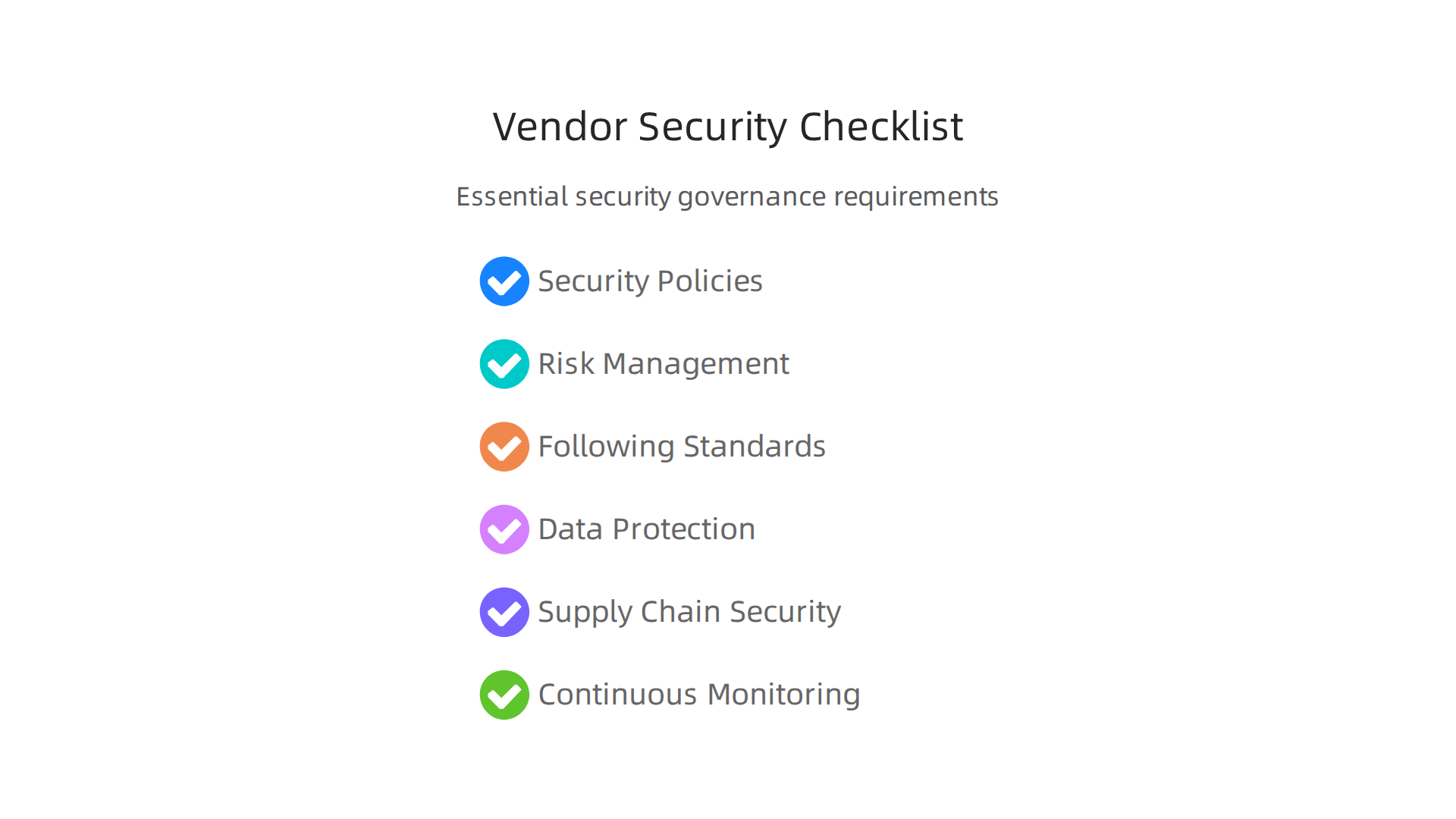
- Clear Security Policies: Does the vendor have a strong plan for cybersecurity? You should ask to see their formal cybersecurity policy. This plan should be reviewed regularly, like every year, and someone important in their company should be in charge of it NIST Compliance Checklist 2026: Complete Implementation ….
- Risk Management: Vendors should have a way to find, understand, and deal with security risks. They should keep a list of risks and check it often. This shows they are actively managing threats. They should also include security as a main part of how they choose their own tools and services Cross-Sector Cybersecurity Performance Goals (CPGs) Common ….
- Following Key Standards: Many well-known standards exist to help keep tech safe. Look for vendors who follow standards like ISO 27001 or NIST 800-53, which provide a wide range of security controls The IT Security Checklist Every Company Should Follow in …. If you work in a specific industry, there might be other standards like NIS2 that are important to follow too ENISA NIS2 Technical Guidelines: Implementing Article 21 Security ….
- Data Protection: How will the vendor protect your data? Ask about things like data encryption, backup plans, and how they handle any sensitive information. They should also be ready to respond quickly if a security problem happens.
- Supply Chain Security: Think about who the vendor uses for their own services. These "upstream" partners can also bring risks. A good vendor will have plans to check the security of their own partners, too. This is especially important for complex "x tech" systems.
- Continuous Monitoring: Your vendors should constantly watch their systems for any signs of trouble. This helps them find and fix issues before they become big problems.
System design choices and compliance risk
The way a tech system is built and set up directly impacts how easy or hard it is to meet security rules and avoid risks. When you pick new tech systems, think about this early on.
For example, choosing a system that uses old, unsupported software might seem cheaper at first. But it can open you up to big security holes because it won’t get new safety updates. This increases your compliance risk, meaning you might not meet important security guidelines. On the other hand, choosing a system designed with security in mind from the start can make things much simpler. It helps you stay compliant and reduces the chance of problems down the road.
Regular risk assessments and making sure your incident response plans match your business needs are key parts of good information security governance in 2026 Information security governance checklist (updated 2026). It’s also helpful to understand information systems vs information technology when making these important security decisions. No single set of rules covers everything, so most businesses need to follow a few different security guidelines based on their industry and the kind of data they handle Information Security Compliance in 2026: a Step-by- ….
Summary
This article explains how to understand and organize modern tech systems so teams make better, faster decisions. It introduces a practical taxonomy—components, integrations, and ecosystems—and drills into the four core component types: hardware, software, data, and human systems. The piece compares centralized, distributed, and hybrid architectures and shows when each is appropriate based on latency, control, cost, and regulation. It also presents simple evaluation frameworks for mapping risk, cost, and value, plus a vendor checklist to ensure security and compliance. Readers will learn how to audit maturity quickly, match technology to business problems, and require the right standards from vendors so investments produce real results this quarter and beyond.